Eliminate Phantom Load: Cut Standby Power Waste by 10% Today
Eliminate Phantom Load: Cut Standby Power Waste by 10% Today
In our increasingly connected world, our homes are filled with an array of electronic devices. From televisions and computers to phone chargers and coffee makers, these gadgets bring convenience and entertainment to our lives. However, many of them share a secret: even when turned off, they continue to consume electricity. This silent energy drain is known as phantom load, standby power, or vampire drain, and it’s costing you money without you even realizing it.
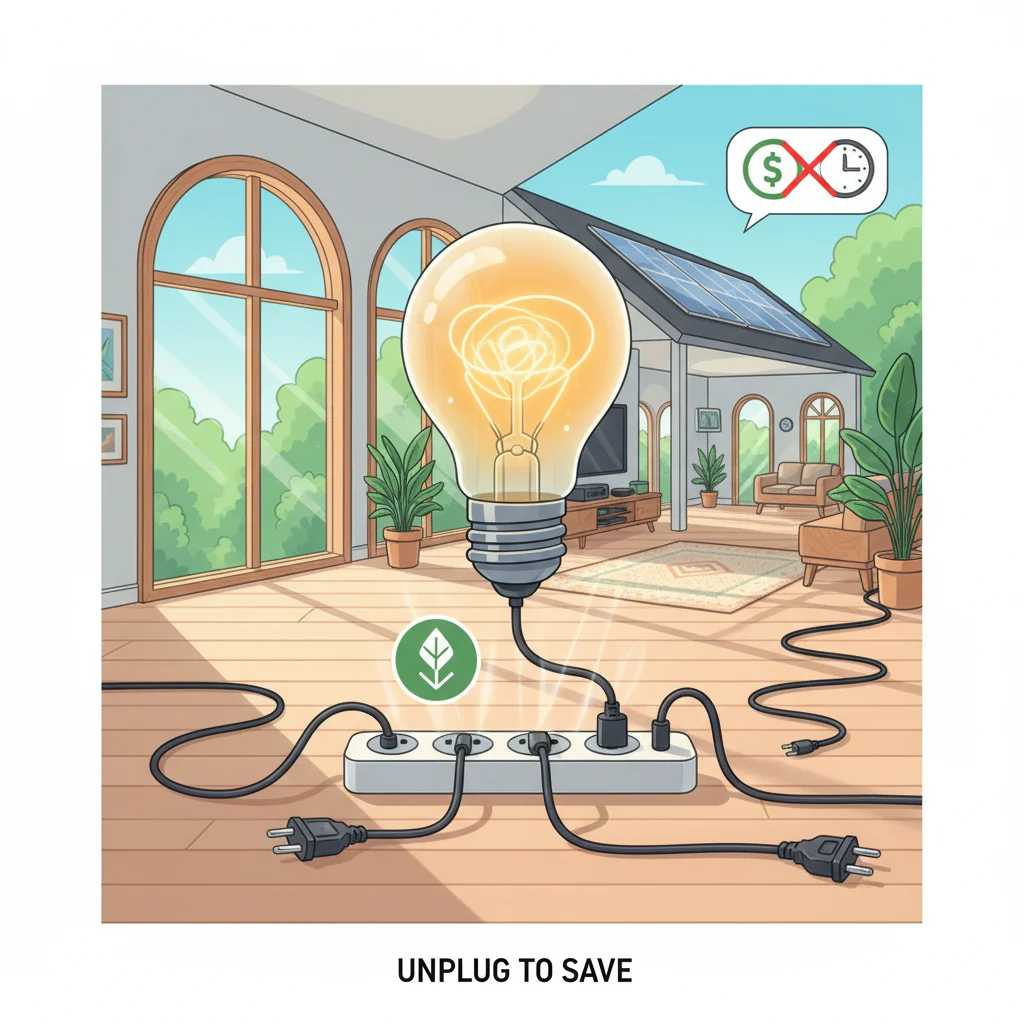
Imagine a tiny, invisible leak in your home’s energy system. That’s essentially what phantom load is. It’s the power consumed by devices that are plugged in but not actively in use, waiting in standby mode for a remote signal or to perform a background task. While each individual device might only draw a small amount of power, the cumulative effect across an entire household can be surprisingly significant. In fact, studies suggest that phantom load can account for 5% to 10% of a typical household’s electricity consumption – a figure that translates directly into higher utility bills and a larger carbon footprint.
The good news? You don’t have to live with this hidden drain. By understanding what phantom load is and implementing a few simple strategies, you can significantly reduce phantom load in your home, cut standby power waste, and enjoy noticeable savings on your electricity bills. This comprehensive guide will walk you through identifying these energy vampires, understanding their impact, and arming you with practical, actionable steps to reclaim your energy and your money.
What Exactly is Phantom Load? The Silent Energy Drain Explained
Before we dive into solutions, let’s get a clearer picture of what we’re up against. Phantom load, often interchangeably called standby power or vampire power, refers to the electricity consumed by electronic devices when they are switched off or in standby mode, but still plugged into an electrical outlet. Think about your TV: when you hit the power button, it doesn’t truly disconnect from the grid; it enters a low-power mode, waiting for your next command from the remote. That ‘waiting’ consumes power.
This phenomenon isn’t new, but its prevalence has grown exponentially with the proliferation of electronics in our homes. Many modern devices are designed with convenience in mind, allowing for instant-on functionality, remote control operation, or continuous background updates. While these features enhance user experience, they come at the cost of constant, albeit small, energy consumption.
Common culprits of phantom load include:
- Televisions and Cable Boxes: Always ready to power on instantly.
- Computers and Laptops: Even when ‘off’ or in sleep mode, they might draw power for network activity or quick boot-up.
- Gaming Consoles: Often remain in a low-power state to download updates or allow remote play.
- Printers and Scanners: Many have indicator lights or internal circuits that stay active.
- Phone Chargers: Even without a phone attached, the charger itself draws a tiny current.
- Coffee Makers with Clocks/Timers: The digital display and internal clock need continuous power.
- Microwaves with Clocks: Similar to coffee makers, the clock is a constant draw.
- Stereo Systems and Speakers: Especially those with remote controls or digital displays.
- Modems and Routers: These are often designed to be on 24/7 to provide continuous internet access, making them significant contributors to phantom load.
- Anything with a remote control, digital display, or external power adapter (the ‘brick’ on the cord).
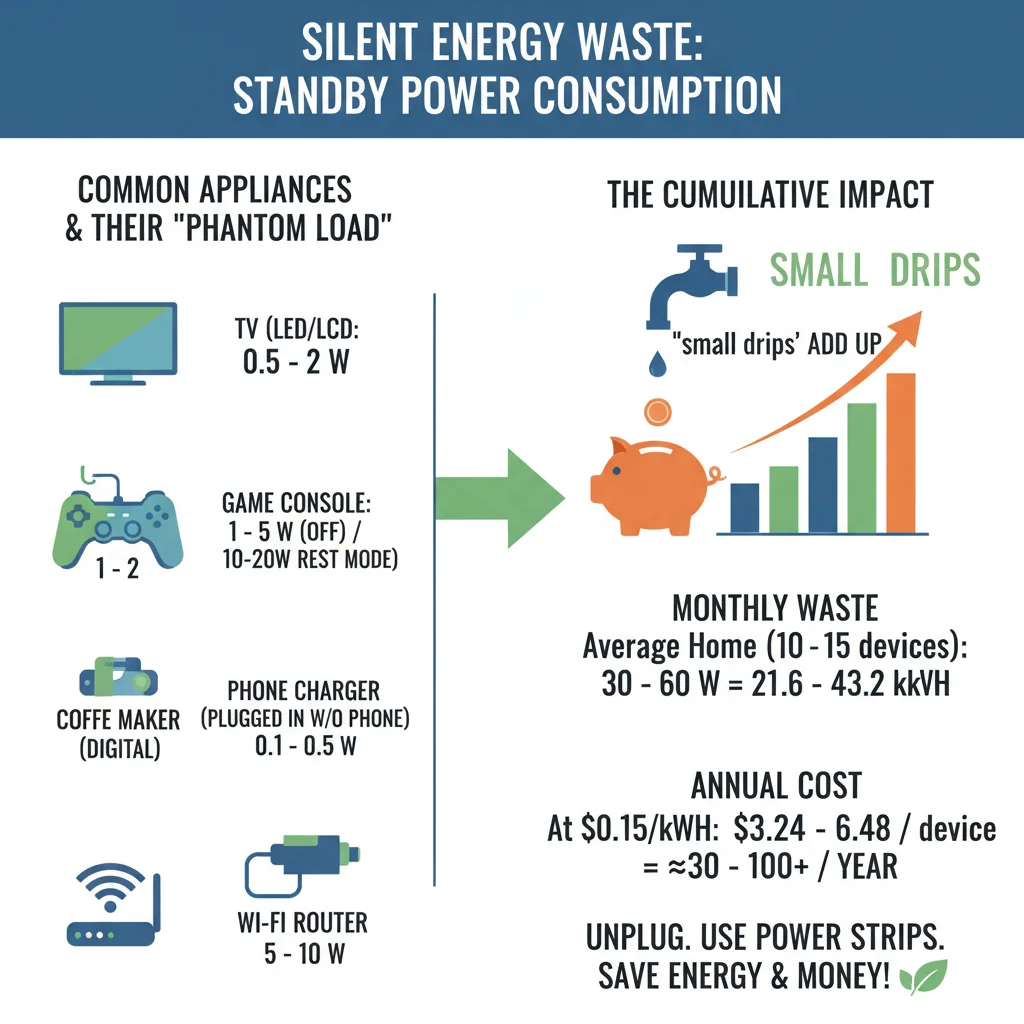
The cumulative effect of these seemingly small draws can add up significantly over a month or a year. If you’re looking to reduce phantom load, understanding which devices are the biggest offenders in your home is the first crucial step.
The Impact of Standby Power Waste: More Than Just Money
The financial implications of phantom load are often the most immediate concern for homeowners. As mentioned, standby power can account for 5% to 10% of your total electricity bill. For an average household, this could mean hundreds of dollars wasted annually, money that could be better spent elsewhere. Over time, these small, consistent drains amount to a substantial sum.
However, the impact extends beyond your wallet. Every kilowatt-hour (kWh) of electricity consumed, whether actively used or wasted in standby, contributes to the demand on our power grids. This demand is often met by burning fossil fuels, leading to:
- Increased Carbon Emissions: Greater electricity consumption means more greenhouse gases released into the atmosphere, contributing to climate change.
- Resource Depletion: The generation of electricity requires natural resources, and reducing waste helps conserve them.
- Strain on Infrastructure: Constant demand, even from standby power, puts a continuous load on power plants and distribution networks.
By taking steps to reduce phantom load, you’re not just saving money; you’re also making a tangible contribution to environmental sustainability. It’s a simple yet effective way to lower your carbon footprint and become a more responsible energy consumer.
Step 1: Identify Your Energy Vampires (The Detective Work)
The first and most critical step in combating phantom load is to identify which devices in your home are the primary culprits. This isn’t always obvious, as many devices appear to be ‘off’ but are still drawing power. Here’s how you can become an energy detective:
Method 1: The Touch Test
A surprisingly effective, albeit rudimentary, method is to feel the power adapter or the device itself. If a power adapter (the ‘brick’ on the cord) is warm to the touch even when the device it powers is off, it’s likely still drawing electricity. Similarly, some devices might feel slightly warm. This indicates active internal circuitry.
Method 2: Look for Lights and Displays
Any device that has an illuminated clock, a small LED indicator light (even a tiny red one), or a digital display that remains on when the device is supposedly off, is consuming standby power. Think about your microwave, coffee maker, TV, or cable box.
Method 3: The Energy Meter (Kill-A-Watt)
For a more precise measurement, an affordable and invaluable tool is an energy usage meter, often referred to as a ‘Kill-A-Watt’ meter. These devices plug into an outlet, and then you plug your appliance into the meter. It will display the real-time power consumption in watts. You can test devices when they are fully on, and more importantly, when they are ‘off’ or in standby mode. This will give you concrete data on how much power each device is drawing even when not in active use. Prioritize testing devices that are always plugged in or those with remote controls.
To use an energy meter effectively:
- Plug the meter into an outlet.
- Plug the device you want to test into the meter.
- Note the power consumption when the device is fully on and operating.
- Turn the device ‘off’ (using its remote or power button) but leave it plugged into the meter.
- Observe the reading. Any number above 0 watts indicates standby power consumption.
Keep a simple log of your findings. You’ll quickly see which devices are the biggest offenders, allowing you to prioritize your efforts to reduce phantom load most effectively.
Step 2: Unplug It! The Simplest Solution
Once you’ve identified your energy vampires, the most straightforward and 100% effective way to stop their drain is to unplug them. If a device is unplugged, it cannot consume any electricity. This method costs nothing and yields immediate results.
While unplugging is simple, it’s not always practical for every device. You might not want to constantly unplug your TV or computer, especially if you use them frequently. However, it’s an excellent strategy for:
- Seldom-used appliances: Toasters, blenders, electric kettles, chargers for devices you only use occasionally.
- Seasonal items: Holiday decorations, fans in winter, heaters in summer.
- Phone and laptop chargers: Once your device is fully charged, the charger itself can still draw a trickle of power. Unplugging it after use is a good habit.
- Guest room electronics: Devices in rooms that aren’t regularly occupied.
Make a habit of unplugging these items when they are not in use. It might seem like a small action, but collectively, these small actions significantly reduce phantom load across your entire home.
Step 3: Harness the Power of Power Strips and Smart Plugs
For devices that are frequently used but still contribute to phantom load, manually unplugging them each time can be inconvenient. This is where power strips and smart plugs become invaluable tools in your energy-saving arsenal.
Conventional Power Strips with On/Off Switches
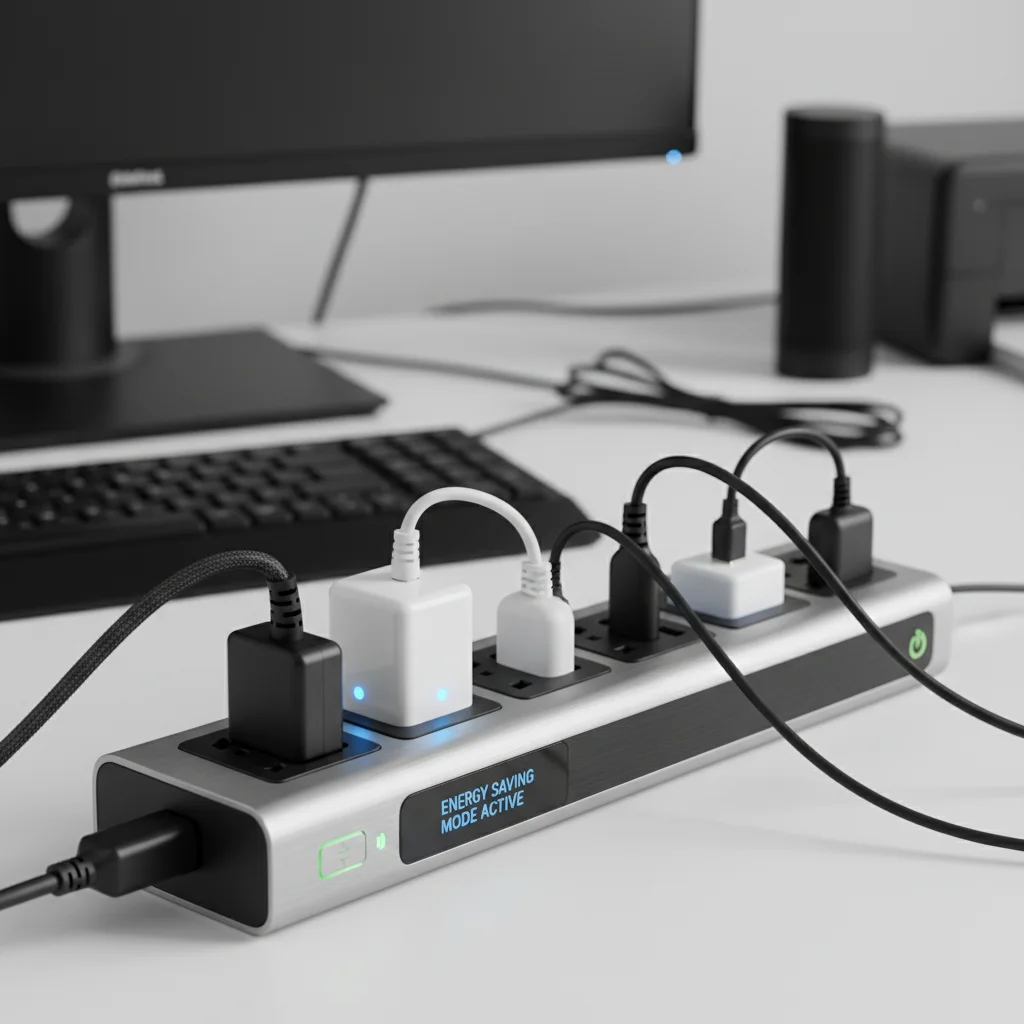
A basic power strip with an on/off switch allows you to cut power to multiple devices simultaneously with a single flick. Group together devices that are typically used at the same time, such as your entertainment center (TV, cable box, sound system, gaming console) or your home office setup (computer, monitor, printer, speakers). When you’re done using these devices, simply switch off the power strip, and you effectively eliminate their collective phantom load. This is a highly effective and low-cost way to reduce phantom load without constantly reaching behind furniture to unplug individual cords.
Smart Power Strips
Taking it a step further, smart power strips offer more advanced features. Some smart strips have ‘master-controlled’ outlets. When the ‘master’ device (e.g., your TV) is turned off, the strip automatically cuts power to the ‘slave’ outlets (e.g., cable box, DVD player, sound system). This automation ensures that you don’t forget to switch off the strip, making it even easier to combat phantom load.
Other smart power strips can be controlled via Wi-Fi or Bluetooth, allowing you to turn outlets on and off from your smartphone, or even set schedules. This is particularly useful for devices that you want to power down overnight or when you’re away from home.
Smart Plugs (Smart Outlets)
Smart plugs are individual outlets that you plug into your existing wall outlets, and then plug your device into the smart plug. Like smart power strips, they connect to your home Wi-Fi and can be controlled remotely via an app on your smartphone or through voice assistants like Amazon Alexa or Google Assistant. This offers incredible flexibility for managing individual devices that might not be part of a larger entertainment or office setup.
With smart plugs, you can:
- Schedule power: Set your coffee maker to turn on just before you wake up and turn off after you leave for work.
- Remote control: Turn off a forgotten light or device from anywhere.
- Monitor energy usage: Some smart plugs even provide real-time energy consumption data, allowing you to see exactly how much power a device is using, further aiding your efforts to reduce phantom load.
Investing in smart power strips or smart plugs can seem like an upfront cost, but the convenience and long-term energy savings often make them a worthwhile investment in your journey to a more energy-efficient home.
Step 4: Optimize Device Settings and Habits
Beyond unplugging and using smart technology, there are often built-in settings and simple habit changes that can help you further reduce phantom load.
Adjust Device Sleep Modes and Power Settings
Many modern electronics, especially computers, laptops, and gaming consoles, have adjustable power management settings. Dive into the settings menus of these devices:
- Computers: Configure your computer to enter a deeper sleep mode or hibernate after a shorter period of inactivity. Ensure monitors also power down quickly.
- Gaming Consoles: Check power settings on consoles like PlayStation, Xbox, or Nintendo Switch. Many have options to disable ‘instant-on’ features or reduce power consumption during rest mode. While instant-on is convenient, it means the device is constantly drawing power.
- TVs and Media Players: Look for eco-modes or standby power reduction options in your TV’s settings. Some streaming devices also have settings to disable constant network checking when not in use.
Making these small adjustments can significantly lower the standby power consumption of individual devices without requiring you to unplug them every time.
Adopt Energy-Conscious Habits
Changing your routine can be just as effective as technological solutions:
- The ‘Last One Out’ Check: Before leaving a room or the house, do a quick scan for any devices that could be unplugged or switched off at a power strip.
- Charger Awareness: Unplug phone, tablet, and laptop chargers once the device is fully charged, or when you leave for an extended period. The charger itself, even without a device connected, can still draw a small amount of power.
- Weekend Purge: On weekends, consider unplugging devices that aren’t essential for those days, like work monitors or office printers.
- Educate Your Household: Share your knowledge about phantom load with family members. When everyone participates, the impact is much greater.
These habits, once ingrained, become second nature and contribute consistently to your efforts to reduce phantom load.
Measuring Your Success: Tracking Savings and Impact
After implementing these strategies, you’ll naturally want to see the results. There are several ways to track your progress and confirm that your efforts to reduce phantom load are paying off:
Review Your Electricity Bills
The most direct way to see your savings is by monitoring your monthly electricity bills. Compare your usage (measured in kWh) from before you started implementing changes to your current usage. Look for a noticeable decrease, especially during periods when your active energy consumption (heating, cooling, major appliance use) is relatively consistent. Remember to account for seasonal variations in energy use.
Re-test with Your Energy Meter
After making changes, re-test some of your key devices with your Kill-A-Watt meter. You should see significantly lower (or zero) standby readings for devices you are now unplugging or managing with power strips/smart plugs. This provides tangible proof of your reduced phantom load.
Calculate Your Carbon Footprint Reduction
Many utility companies and environmental organizations offer online calculators that can help you estimate your carbon footprint. By inputting your reduced kWh consumption, you can see the environmental impact of your efforts, which can be a powerful motivator to continue your energy-saving journey.
Beyond Phantom Load: Further Energy Efficiency Tips
While addressing phantom load is an excellent starting point, consider these additional tips to further enhance your home’s energy efficiency:
- Upgrade to Energy-Efficient Appliances: When it’s time to replace old appliances, look for ENERGY STAR certified models, which are designed to consume less power during operation and often have lower standby consumption.
- LED Lighting: Replace incandescent bulbs with energy-efficient LED lights. They use significantly less electricity and last much longer.
- Optimize HVAC System: Ensure your heating and cooling systems are well-maintained, and consider programmable or smart thermostats to optimize temperature control.
- Improve Insulation: Proper insulation in walls, attics, and windows can dramatically reduce energy loss, lessening the burden on your heating and cooling systems.
- Natural Light and Ventilation: Maximize the use of natural daylight to reduce the need for artificial lighting, and use natural ventilation to cool your home when possible.
By combining these broader energy-saving strategies with your efforts to reduce phantom load, you can create a truly energy-efficient and cost-effective home environment.
Common Misconceptions About Phantom Load
It’s important to address some common misunderstandings that might prevent people from taking action:
- “It’s just a tiny amount, it doesn’t matter”: While individual devices draw small amounts, the cumulative effect across a home, 24/7, adds up. Imagine leaving a small faucet dripping all year – it would waste a surprising amount of water. Phantom load is similar.
- “My device is off, so it’s not using power”: As we’ve discussed, ‘off’ often means ‘standby’ for many electronics. Look for indicator lights, digital displays, or warm power adapters as clues.
- “Unplugging shortens device lifespan”: For most modern electronics, frequently unplugging them does not harm them. In fact, it can protect them from power surges.
- “Smart plugs are too complicated/expensive”: Basic smart plugs are now very affordable and incredibly easy to set up, often just requiring a smartphone app.
Dispelling these myths can help reinforce the importance and ease of tackling phantom load in your home.
Conclusion: Take Control of Your Home’s Energy Consumption
Phantom load is a sneaky, invisible energy drain that impacts your wallet and the environment. However, with a little awareness and a few simple actions, you have the power to combat it effectively. By following these practical steps – identifying energy vampires, judiciously unplugging devices, leveraging power strips and smart plugs, and optimizing device settings – you can significantly reduce phantom load in your home.
The goal is not necessarily to eliminate every single watt of standby power, but to make a meaningful reduction. Even cutting your standby power waste by 10% can translate into tangible savings on your electricity bill and a smaller environmental footprint. Start small, build habits, and enjoy the benefits of a more energy-efficient and cost-conscious home. Your wallet, and the planet, will thank you.